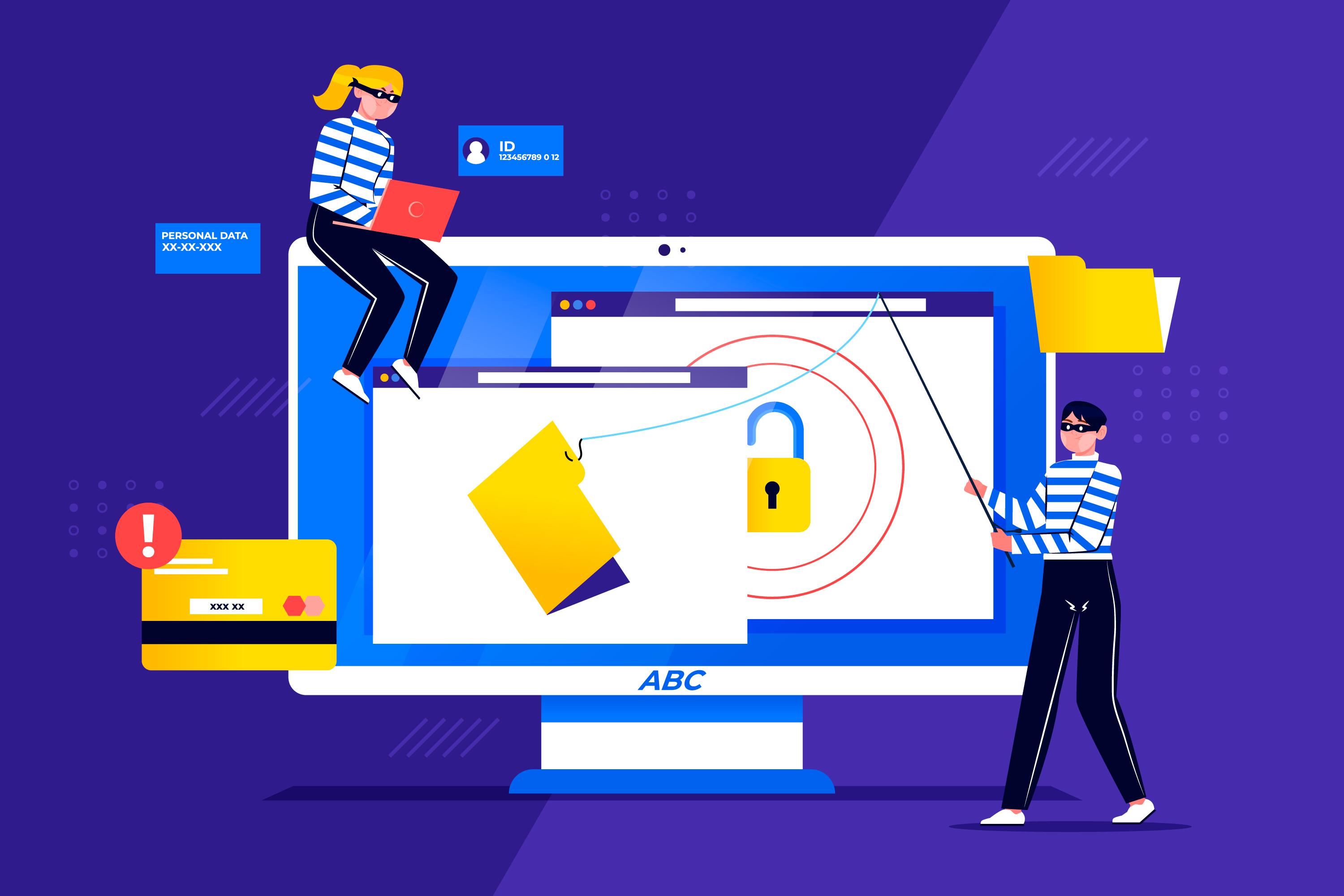
If you run or manage a small business, there is a reasonable chance you have heard the phrase "phishing simulation" and assumed it was something only large enterprises needed to worry about. You might picture a Fortune 500 company with a full security operations center running elaborate tests on thousands of employees.
That assumption is both understandable and dangerous.
Small businesses are not a lower priority for cybercriminals. In many ways, they are a preferred target—specifically because they are less likely to have the defenses, the training, and the processes that larger organizations invest in. Attackers know this. They exploit it constantly.
Phishing simulation software is not a luxury for well-resourced security departments. It is one of the most accessible, cost-effective, and impactful tools available to any organization—including yours, regardless of size.
This guide covers everything you need to understand about phishing simulation software as a small business: what it is, how it works, why your size does not protect you, what features actually matter, what common mistakes to avoid, and how to evaluate whether a platform is the right fit.
What Is Phishing Simulation Software?
Phishing simulation software is a platform that allows an organization to send realistic but harmless fake phishing emails to its own employees in a controlled, authorized environment—and then observe how those employees respond.
The purpose is not to catch people out or punish them for mistakes. The purpose is to reveal how your workforce actually behaves when faced with a convincing phishing attempt, before a real attacker does the same thing with genuine consequences.
When an employee receives a simulated phishing email and clicks the link, submits their credentials, or takes another targeted action, the platform records that behavior. Importantly, when an employee recognizes the email as suspicious and reports it, that behavior is recorded too—as a positive outcome.
After the simulation runs, security administrators receive detailed reports: who clicked, who submitted information, who reported the email, who ignored it. Over time, these results build a behavioral picture of where phishing risk exists within the organization and whether that risk is improving or worsening.
Most phishing simulation platforms also integrate training directly into the process. Employees who click a simulated phishing link are immediately redirected to a short, relevant learning module that explains what they missed and how to spot it in the future. This just-in-time approach to training has been shown to produce significantly better behavioral outcomes than scheduled, periodic awareness sessions.
Why Small Businesses Are Prime Phishing Targets
The idea that cybercriminals focus primarily on large enterprises is a persistent myth that puts small businesses at unnecessary risk. The reality of the current threat landscape — as documented in the FTC small business cybersecurity — tells a different story.
Volume and automation favor small business targeting. Modern phishing campaigns are largely automated. Attackers can purchase compromised email lists, deploy AI-generated phishing content, and run campaigns targeting thousands of organizations simultaneously at minimal cost. The effort required to target a small business is virtually identical to targeting a large one. From an attacker's perspective, small businesses represent low-hanging fruit—high volumes of relatively easy targets.
Small businesses often lack layered technical defenses. Large enterprises typically deploy advanced email filtering, multi-factor authentication, endpoint detection and response, and security information and event management systems. Many small businesses operate with basic email clients, consumer-grade antivirus software, and no dedicated security monitoring. This defense gap makes it easier for phishing emails to reach employee inboxes and for successful compromises to go undetected.
Small business employees wear many hats. In a ten-person company, a single employee might handle finance, vendor management, and customer communications simultaneously. This creates fertile ground for business email compromise (BEC) attacks—phishing scenarios designed to impersonate suppliers, executives, or payment processors. An employee who manages payroll, pays invoices, and responds to client emails in the same workflow is a high-value target for precisely this reason.
Recovery is disproportionately harder for small businesses. A large enterprise that experiences a phishing-related breach has legal teams, incident response retainers, cyber insurance policies, and crisis communication resources. A small business facing the same scenario is likely dealing with it largely alone, often without the financial runway to absorb the costs of remediation, regulatory fines, or reputational damage. The stakes of a single successful phishing attack are proportionally much higher for smaller organizations. For UAE-based SMEs in particular, where the threat landscape includes region-specific BEC and PDPL compliance obligations, see our dedicated guide to cybersecurity awareness for UAE SMEs.
The data backs this up. Industry reports consistently show that small and medium businesses account for a significant share of phishing incidents—not because they are specifically singled out, but because their sheer number combined with lower average defenses makes them collectively one of the most exploited segments in the threat landscape.
How Phishing Simulation Software Works in Practice
Understanding the mechanics of a phishing simulation campaign helps demystify the process and makes it easier to evaluate whether a platform will actually work for your business.
Step 1: Campaign Setup
An administrator logs into the platform and configures a simulation campaign. This involves selecting or customizing a phishing email template—these range from generic credential harvesting attempts to highly specific scenarios mimicking known brands, internal IT helpdesk requests, HR benefit notifications, or supplier invoice updates.
For small businesses, the most effective templates typically mirror the types of emails your team receives every day: package delivery notifications, shared document alerts, payroll update requests, or software license renewal reminders.
Step 2: Audience Selection
The administrator selects which employees will receive the simulation. For very small teams, this might be everyone. For slightly larger organizations, it might be segmented by department—running a finance-specific scenario separately from a general staff simulation, for example.
Most platforms allow you to import employee lists via CSV or connect directly to your email directory, keeping setup time minimal even if you do not have dedicated IT staff.
Step 3: Email Delivery
The platform sends the simulated phishing email from a configured sender address on a scheduled date and time. Emails arrive in employees' inboxes exactly as a real phishing email would—there is no warning, no prior announcement (in most program designs), and no visual indicator that distinguishes the simulated email from a genuine one.
This realistic delivery is essential to the value of the exercise. If employees know a simulation is coming, their behavior changes. The goal is to measure how people respond under normal working conditions.
Step 4: Behavior Tracking
The platform tracks every interaction with the simulated email in real time. Key behavioral signals include:
- Email opened: The employee saw the message
- Link clicked: The employee engaged with the phishing content
- Data submitted: The employee entered information on a phishing landing page—the highest-risk indicator
- Email reported: The employee flagged the message as suspicious—the ideal outcome
- No interaction: The employee neither clicked nor reported
Each of these outcomes tells a different part of the story about your organization's phishing posture.
Step 5: Immediate Training Delivery
When an employee clicks the simulated phishing link, they are redirected—rather than to a fake credential page—to a training module. This module is brief, typically two to five minutes, and explains specifically what indicators they missed in the email they just interacted with.
This immediacy is critical. Research in behavioral psychology consistently shows that learning delivered immediately after a relevant behavior produces stronger and more lasting retention than the same content delivered later without context.
Step 6: Reporting and Analysis
After the campaign window closes, the administrator receives a detailed report showing results across the organization. These reports typically display click rates, submission rates, reporting rates, and department-level breakdowns—giving a clear picture of where phishing susceptibility is highest.
Over multiple campaigns, these reports reveal trends: is the click rate improving? Are employees reporting more suspicious emails? Is a particular department consistently showing higher risk than others?
This longitudinal data is what transforms phishing simulation from a one-off test into a continuous security improvement program.
The Features That Actually Matter for Small Businesses
The phishing simulation software market includes a wide range of platforms—from enterprise-grade solutions built for organizations with thousands of employees and dedicated security teams, to lightweight tools designed for small businesses with limited time and budget. To see how the major players in the market compare, read our detailed guide comparing 12 phishing awareness training platforms. When evaluating options, these are the features that genuinely move the needle for smaller organizations.
Ease of Setup and Administration
If a platform requires extensive technical knowledge, a lengthy onboarding process, or ongoing configuration effort beyond what a non-specialist can manage, it is the wrong tool for a small business. Look for platforms that allow you to launch your first campaign within an hour of signing up, with minimal setup and no requirement for coding or security expertise.
Realistic, Up-to-Date Template Libraries
A library of one hundred templates is far less valuable than twenty templates that accurately reflect the phishing techniques attackers are using right now. Effective platforms update their template libraries frequently to reflect current attacker campaigns—including impersonations of popular cloud services, payment processors, delivery companies, and software platforms your team uses daily.
Automated Training Integration
The connection between simulation and training should be automatic. When an employee clicks, training should deploy immediately—without requiring manual administrator action. This automation is particularly important for small businesses where no one has time to manage the training delivery process manually after every campaign.
Department and Role-Level Reporting
Aggregate click rates are a starting point. Granular reporting by department, role, or individual allows you to identify where risk is most concentrated and direct your resources accordingly. A small business with a finance team of three people and an operations team of ten has very different risk profiles across those groups—your reporting should reflect that.
Reporting and Escalation Capabilities
A phishing simulation program should make it easy for employees to report suspicious emails, both during simulations and in real-world situations. Look for platforms that provide a one-click report button for common email clients and that reward or acknowledge reporting behavior to reinforce it as a positive habit.
Transparent, Scalable Pricing
Enterprise phishing simulation platforms often carry price tags that make no sense for a five- or ten-person business. Many modern platforms offer per-user-per-month pricing that scales appropriately with team size, or flat-rate pricing tiers designed for SMBs. Avoid platforms that obscure pricing behind enterprise sales processes—a tool you can evaluate and purchase without a lengthy procurement cycle is essential at your scale. If the category leader is on your shortlist, our breakdown of KnowBe4 alternatives compared by price, setup, and channel weighs the leaner options on exactly these terms.
Multi-Channel Simulation
Email phishing is the primary attack vector, but SMS-based phishing (smishing) and voice phishing (vishing) are increasingly common. Platforms that support simulation across these channels give you a more complete picture of your organization's social engineering exposure.
Common Mistakes Small Businesses Make with Phishing Simulations
Even well-intentioned phishing simulation programs can fall short if they are implemented without a clear understanding of what makes them effective. These are the most common mistakes small businesses make—and how to avoid them.
Running a single simulation and treating it as complete. A single phishing simulation produces a point-in-time snapshot. It tells you where risk existed on one day under one set of conditions. Without repeated simulations at regular intervals, you cannot know whether behavior has changed, whether training is working, or whether new employees have introduced new vulnerabilities. Consistency is the foundation of any effective program.
Announcing the simulation in advance. Some organizations notify employees ahead of time that a phishing test is coming, out of concern that people will feel tricked or demoralized if they are not warned. While this concern is understandable, it fundamentally undermines the measurement value of the exercise. If employees know a test is coming, their behavior does not reflect how they will respond to a real attack. Most employees, once they understand the purpose of simulations, accept them as a routine part of a security-conscious workplace.
Framing failures as punishable offenses. Phishing simulations should be positioned as learning exercises, not gotcha traps. Organizations that punish employees for clicking simulated phishing emails create cultures of anxiety and concealment rather than transparency and improvement. The goal is to make it psychologically safe to make mistakes in a controlled environment, so that employees develop better instincts over time.
Using overly obvious or outdated templates. If your simulated phishing emails are easy to detect—poorly formatted, referencing unfamiliar brands, or obviously suspicious—you will see artificially low click rates that do not reflect your actual risk. Templates should be realistic, timely, and calibrated to the types of communications your team receives regularly.
Ignoring reporting metrics. Many organizations focus almost exclusively on click rate as their primary metric. But reporting rate—the percentage of employees who identified and flagged the simulated phishing email—is equally important. A high reporting rate indicates a workforce that is actively engaged in security, not just passively avoiding mistakes. Both metrics should be tracked and celebrated when they improve.
Starting too complex. Small businesses sometimes try to replicate enterprise-level simulation programs from day one: multiple simultaneous campaigns, extensive segmentation, complex reporting dashboards. This level of complexity is unnecessary at smaller scale and often leads to programs that are abandoned because they feel overwhelming. Start with a simple, well-executed first campaign. Build from there.
What Results Should You Realistically Expect?
If you are new to phishing simulations, setting realistic expectations for your first round of results helps you interpret what you see without drawing incorrect conclusions.
Industry benchmarks for organizations beginning phishing simulation programs typically show first-campaign click rates in the range of 25 to 40 percent, depending on industry, template type, and existing security culture. This means that in an organization with no prior simulation experience, roughly one in three employees will click a well-crafted simulated phishing email.
This is not a reflection of employee carelessness or failure. It is a reflection of where human behavior starts when people have not been specifically trained to recognize the signals of a modern phishing attempt. It is also, importantly, your baseline—the starting point from which improvement will be measured.
Organizations that run consistent phishing simulation programs with integrated training typically see click rates decline meaningfully within two to four campaign cycles, often reaching industry benchmark rates of ten to fifteen percent within six to twelve months. Reporting rates, conversely, tend to increase over the same period as employees develop the habit and confidence to flag suspicious messages.
Progress is not always linear—results vary by campaign type, seasonal factors, and changes in workforce composition. The meaningful signal is the long-term trend, not any individual campaign result.
Phishing Simulation and Compliance Requirements
For small businesses operating in regulated industries, phishing simulation is increasingly relevant not just as a security practice but as a compliance requirement or expectation.
Healthcare (HIPAA): The HIPAA Security Rule requires covered entities and business associates to implement security awareness training programs for all workforce members. While HIPAA does not prescribe specific training modalities, phishing simulation is increasingly cited by auditors as evidence of a robust and ongoing training program. A single annual training session is often viewed as insufficient in the current threat environment.
Payment processing (PCI-DSS): PCI-DSS version 4.0 strengthened requirements around security awareness training, explicitly addressing phishing and social engineering. Organizations that process cardholder data are expected to maintain training programs that address these specific threats and to demonstrate ongoing employee awareness.
Cyber insurance: The cyber insurance market has hardened significantly over the past several years, and underwriters are increasingly evaluating security awareness and phishing simulation programs as part of policy underwriting. Some insurers now offer premium discounts to organizations that demonstrate active simulation and training programs—making it easier to prove the ROI of your security awareness investment. Others include simulation activity as a baseline requirement for coverage. If your business carries or is considering cyber insurance, verifying your insurer's requirements around employee training is a practical priority.
General data protection (GDPR and equivalents): While GDPR does not mandate phishing simulation specifically, its requirement for "appropriate technical and organisational measures" to protect personal data is broadly interpreted to include staff training on recognizing threats like phishing. Data protection authorities in multiple jurisdictions have cited inadequate employee security training as an aggravating factor in breach investigations.
Getting Started: A Practical First Step
If you are a small business owner or manager reading this with no prior experience running phishing simulations, the most important thing to understand is that starting does not require a large investment of time, money, or technical expertise.
A practical first step looks like this:
Sign up for a phishing simulation platform that offers a free trial or a small-business-appropriate pricing tier. During your trial, configure a single campaign using a realistic template—something that resembles the types of emails your team actually receives. Select your full team as the audience, set a delivery window, and let the campaign run without announcing it in advance.
When results come in, review them without judgment. Note your click rate, your submission rate, and your reporting rate. Identify which departments or individuals showed the highest engagement with the phishing email.
Use that baseline to have an honest conversation with your team about what phishing attempts look like today, why the simulation matters, and what you will be doing going forward to help everyone get better at recognizing and reporting them.
Then run another campaign the following month.
That cycle—simulate, measure, train, repeat—is the entire foundation of an effective phishing defense program at any scale.
The Bottom Line
Phishing simulation software is not a complex, expensive enterprise tool reserved for organizations with full-time security staff. It is a straightforward, highly accessible capability that gives small businesses something genuinely valuable: real behavioral data about how their team responds to the most common form of cyberattack they will ever face.
In 2026, the question is not whether your employees will encounter convincing phishing emails. They already are. The question is whether your organization has done anything concrete to prepare them to recognize, resist, and report those attempts—and whether you have the visibility to know if that preparation is actually working.
Phishing simulation gives you that visibility. And for a small business where a single successful attack can have outsized consequences, that visibility is not optional—it is essential.
PhishSkill is built for organizations of every size—including small businesses that want enterprise-grade phishing simulation without the enterprise-grade complexity or pricing. Start your first campaign in minutes and get a clear picture of your team's phishing readiness today.
Related Reading
Don't have the time to manage it yourself? Learn about the benefits of Managed Security Awareness Training: When to Outsource Your Employee Phishing Defense or follow our Step-by-Step Guide to Building a Program from Scratch.
Small businesses can find additional help at the SBA Cybersecurity for Small Business portal.
More from the Blog
View all blog articles
Phishing Simulation Results: Every Metric in Your Report Explained
A phishing simulation produces a dozen numbers, and most teams act on the wrong one. Here is what every field in your report means, and the action each one triggers.

Cybersecurity Awareness for UAE Maritime and Ports: Protecting Jebel Ali, Khalifa Port, and Global Trade Routes
Jebel Ali, Khalifa Port, and the UAE maritime sector face OT attacks, cargo fraud, and IMO-mandated cyber risk obligations. Build security awareness programs that match the stakes.
PCI DSS Security Awareness Training Requirements: What Payment Organizations Must Know
PCI DSS v4.0 makes security awareness training a formal, auditable requirement. Learn what the standard requires and how to provide evidence to QSA auditors.
Ready to stop phishing attacks?
Run realistic phishing simulations and high-impact security awareness training with PhishSkill's automated platform.