
New to this topic? If you just need a quick overview of simulation frequencies, see our Quick Guide to Phishing Simulation Frequency.
The most common mistake organizations make with phishing simulation is not the templates they choose, or how they handle employees who click, or even whether their training content is any good. It is frequency. Specifically — not running simulations often enough to produce any meaningful behavioral change.
A single phishing simulation per year tells you one thing: how your employees performed on one day, with one template, under conditions they may or may not have been expecting. It tells you almost nothing about how they will behave next month, or how they will respond to a different type of attack, or whether awareness has improved or deteriorated since the last test.
Phishing resilience is a skill. Like any skill, it atrophies without practice and improves with consistent repetition. The question of how often to run simulations is really a question about how seriously you want to take behavior change — and how much click rate improvement you actually expect to see.
Why Frequency Is the Most Underrated Variable
There is a temptation to think of phishing simulation as an event rather than a practice. Run a test, see the results, send some training, move on. It feels complete. It produces a number you can report. It satisfies a box on a compliance checklist.
What it does not do is change behavior.
Behavioral research is fairly consistent on this point: single-exposure learning produces weak, short-lived effects. The forgetting curve — the well-documented pattern of memory decay over time — means that an employee who completed phishing awareness training in January has retained very little of it by April, and almost none of it by October. Unless something reinforces the learning, it fades.
Phishing simulation is one of the few security awareness interventions that can provide genuine reinforcement at scale. Each simulation is a low-stakes rehearsal of the real thing — a chance for employees to encounter a realistic threat, respond, and either learn from a mistake or build confidence from a correct decision. The more frequently that rehearsal happens, the more durable the behavioral change it produces.
Organizations that run monthly simulations do not just have lower click rates than those running annually. They have fundamentally different employee relationships with email skepticism. For monthly-simulation organizations, checking whether an unexpected email is legitimate starts to feel like a normal habit rather than an exceptional act. That ambient vigilance is what you are actually trying to build — and it does not come from annual testing.
What the Data Says About Cadence
The research on simulation frequency is consistent enough to draw clear conclusions:
Annual simulation produces click rate improvement of roughly 10 to 15 percent over baseline — and much of that improvement fades before the next campaign. Employees recognize the simulation pattern. They prepare briefly, perform during the test window, and return to baseline behavior shortly after. The program never escapes the one-event-per-year trap.
Quarterly simulation produces more meaningful results — typically 25 to 35 percent click rate reduction from baseline over the course of a year. Employees begin to develop some genuine habit formation. Reporting rates start to climb. But the gaps between campaigns are still long enough that vigilance partially erodes between cycles.
Monthly simulation is where the data becomes compelling. Organizations running monthly campaigns typically see click rates drop to below 10 percent within 12 months, with reporting rates increasing significantly in parallel. The behavioral effects compound because there is never enough time between campaigns for habits to fully erode. Monthly exposure makes phishing awareness a persistent cognitive state rather than an occasional training event.
Bi-weekly or higher frequency can be appropriate for very high-risk populations — finance teams, executives, privileged IT staff — but requires careful program design to avoid feeling punitive or creating alert fatigue. More is not always better; it depends on the population and the execution quality.
The headline finding is simple: monthly cadence, for most organizations, represents the practical optimum between behavioral effectiveness and operational feasibility.
The Right Frequency Depends on Where You Are Starting From
A mature program with a well-established simulation culture is a different context from an organization running its first simulation. The right frequency also depends on your current baseline.
If you have never run a simulation before, start with a baseline campaign before committing to a cadence. Run a realistic, unannounced test using a well-crafted template calibrated against the NIST Phish Scale difficulty methodology and measure your starting click rate honestly. That number will tell you a great deal about where you are. A 40 percent baseline click rate signals a different urgency than a 15 percent baseline.
After your baseline, move immediately to monthly cadence. The gap between where you are and where you need to be is large enough that quarterly simply will not close it fast enough to meaningfully reduce organizational risk within a reasonable timeframe.
If you are already running quarterly simulations, the upgrade to monthly is straightforward and the impact is significant. You have already established the infrastructure and the organizational tolerance for simulation. Adding campaigns between your existing schedule does not require major operational change — it mostly requires commitment to the cadence and a varied template library so employees are not seeing the same scenario repeated.
If you are already running monthly simulations, the question shifts from frequency to sophistication. At monthly cadence with good results, the improvement opportunities are in template diversity, spear phishing exercises for high-risk groups, difficulty progression, and integration with your broader security culture program.
How to Structure a Year of Monthly Simulations
Twelve campaigns in a year sounds like a lot until you see it mapped out. The key to making monthly simulation work without fatiguing employees or producing diminishing returns is variation — in template type, difficulty level, target audience, and theme.
A well-structured annual simulation calendar looks something like this:
Q1 — Baseline and foundational scenarios
January serves as your annual baseline measurement. Use a moderately challenging credential harvesting template — something that reflects real attacks your employees might plausibly receive. Resist the temptation to use an obviously suspicious template to produce a flattering number.
February introduces a different attack type — a shared document notification or a cloud storage alert, something that exploits familiarity with legitimate business tools.
March focuses on authority-based social engineering — an executive impersonation or IT department request. This tests a different cognitive vulnerability than credential harvesting and gives you comparison data across attack types.
Q2 — Escalating difficulty and new vectors
April introduces urgency as the primary psychological lever — a password expiry notice or an account security alert. Measure how your click rate compares to January's baseline.
May shifts to vendor or supplier impersonation — a fake invoice from a known supplier, or a request appearing to come from your payroll or benefits provider. This reflects a real and growing attack pattern.
June runs a department-specific campaign targeting finance, HR, or IT with a scenario tailored to their workflows. This is your first step toward risk-based simulation.
Q3 — Advanced techniques and risk-based targeting
July introduces a business email compromise scenario — a request for information or action that appears to come from a senior executive, without any malicious link or attachment. This tests judgment rather than link recognition.
August runs a spear phishing exercise for your highest-risk groups — finance, executives, privileged IT staff — using personalized templates that reference real organizational context.
September revisits credential harvesting with a more sophisticated template than January — ideally one that reflects current attacker techniques, including AI-quality writing and accurate visual impersonation.
Q4 — Reinforcement and annual review
October runs a multi-vector scenario — an email combined with a voicemail or SMS reference, reflecting the reality that sophisticated attacks often blend channels.
November tests seasonal susceptibility — attackers consistently exploit end-of-year themes including tax documents, benefit enrollment, holiday delivery notifications, and charitable giving fraud.
December is your annual comparison benchmark. Run a template similar enough to January that the results are directly comparable. The difference between your January and December click rates is your annual improvement metric — the number that makes the program legible to leadership.
Frequency for High-Risk Groups
Standard monthly simulation is an organization-wide baseline. High-risk groups deserve more.
Finance teams that handle payment authorization, wire transfers, and vendor management should receive additional targeted campaigns beyond the organization-wide schedule. Business email compromise scenarios, vendor impersonation, and executive fraud simulations are particularly relevant. Consider running bi-monthly targeted campaigns for this group on top of the standard schedule.
Executives and senior leaders are both high-risk targets and often the most difficult to include in simulation programs due to their schedules and organizational dynamics. The case for including them is strong: executive credentials are among the most valuable targets for attackers, and visible executive participation in the simulation program signals organizational seriousness to the broader workforce. Targeted spear phishing exercises that incorporate publicly available information about executives — conference appearances, LinkedIn profiles, organizational announcements — reflect real attacker technique.
IT administrators and privileged users who have access to sensitive systems, cloud infrastructure, and credentials stores should receive technically sophisticated scenarios that reflect the attacks most likely to target their role — including fake IT vendor communications, system alert impersonations, and multi-factor authentication bypass attempts.
New employees, as discussed in our guide on cybersecurity onboarding training, are a high-risk group during their onboarding window. Running a simulation within the first two weeks of employment — before the standard monthly schedule would include them — addresses the vulnerability at its peak.
What Happens If You Do Not Vary Your Templates
The fastest way to undermine a frequent simulation program is to use the same templates repeatedly. Employees develop pattern recognition for specific scenarios, which creates a false sense of program effectiveness. Your click rate on a template employees have seen four times in the past year tells you almost nothing about their actual phishing resilience.
This is a real and common problem. Organizations that run monthly simulations using a rotating set of six to eight templates eventually see click rates drop to near zero — not because employees have genuinely improved, but because they have memorized the scenarios. When a real phishing email arrives using a technique they have not practiced recognizing, they are no better prepared than they were before the program started.
Genuine resilience requires template variety across multiple dimensions: attack type, sender impersonation category, urgency level, target specificity, and difficulty. A well-maintained template library should include at least 20 to 30 distinct scenarios, with new templates added regularly to reflect evolving attacker techniques. The moment employees can predict what a simulation will look like is the moment the simulation stops building real skill.
Communicating the Cadence to Your Organization
Monthly phishing simulation requires thoughtful communication to avoid resentment or a culture where security feels adversarial rather than collaborative.
The most effective approach is transparency about the program without transparency about specific timing. Employees should know that phishing simulations happen regularly — they should not know when the next one is scheduled. This is not deception; it mirrors the reality of real phishing attacks, which also do not announce themselves in advance.
Framing matters considerably. Programs communicated as "we test you to catch mistakes" produce defensiveness and reduced reporting. Programs communicated as "we practice together so real attacks fail" produce engagement and participation. The difference in outcomes is measurable.
Department managers should receive regular reports on how their teams are performing — not as a tool for individual accountability, but as visibility into where support or additional focus might help. Managers who understand the metrics and see improvement over time become advocates for the program rather than obstacles to it.
Setting Expectations for How Long Improvement Takes
Organizations beginning from a 30 to 40 percent click rate on a monthly simulation program should expect roughly this trajectory:
After the first three months, click rate typically drops to the 20 to 25 percent range. This early improvement is partly genuine habit formation and partly employees becoming aware that simulations are a regular occurrence. Both are useful.
By month six, most organizations running consistent monthly campaigns are in the 12 to 18 percent range. Reporting rates begin to climb noticeably around this point, which is often as important as the click rate improvement itself.
By month twelve, organizations sustaining monthly cadence commonly reach and maintain click rates below 10 percent, with reporting rates that provide meaningful early warning capability for real campaigns. This composite view of susceptibility and resilience is what the phishing resilience score is designed to capture.
These are averages with genuine variation — some industries start higher, some organizations improve faster. But the trajectory is consistent enough to be useful for planning and expectation-setting. The key inputs are frequency, template variety, and the quality of the just-in-time training triggered by clicks.
None of this happens with annual testing. Some of it happens with quarterly testing. Monthly simulation is where the program starts to behave like a genuine risk reduction investment rather than a compliance exercise.
PhishSkill makes monthly simulation operationally straightforward — automated scheduling, a deep template library, and behavior-triggered training that converts every click into a learning moment. Start building the cadence that produces real improvement.
Related Reading
Understand how your current click rate compares to your industry peers in Phishing Click Rate Benchmarks by Industry (2026 Edition) or learn the difference between Phishing Simulation vs. Security Awareness Training.
For expert guidance on simulation frequency, see the SANS Security Awareness: How Often to Phish? guide.
New to this topic? Read our explainer first: Phishing Simulation Frequency: How Often Should You Test?
More from the Blog
View all blog articles
Phishing Simulation Results: Every Metric in Your Report Explained
A phishing simulation produces a dozen numbers, and most teams act on the wrong one. Here is what every field in your report means, and the action each one triggers.

Cybersecurity Awareness in UAE Public Sector Digital Transformation: Securing Smart Government
The UAE's smart government push — from UAE Pass to Smart Dubai — creates new cyber risks for public sector employees. Build awareness aligned with UAE IAS and NESA standards.
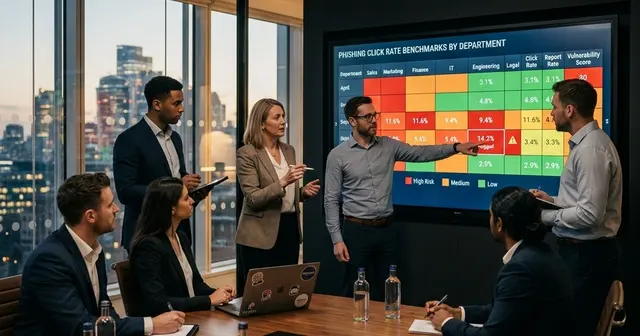
Phishing Risk by Department: Finance, HR, IT & Executive Click-Rate Data Compared
Sales clicks phishing at 28-35%. IT clicks at 6-12%. Phishing risk by department dwarfs industry-level variation, yet most security programs treat every team identically. Here's where the risk really concentrates.
Ready to stop phishing attacks?
Run realistic phishing simulations and high-impact security awareness training with PhishSkill's automated platform.