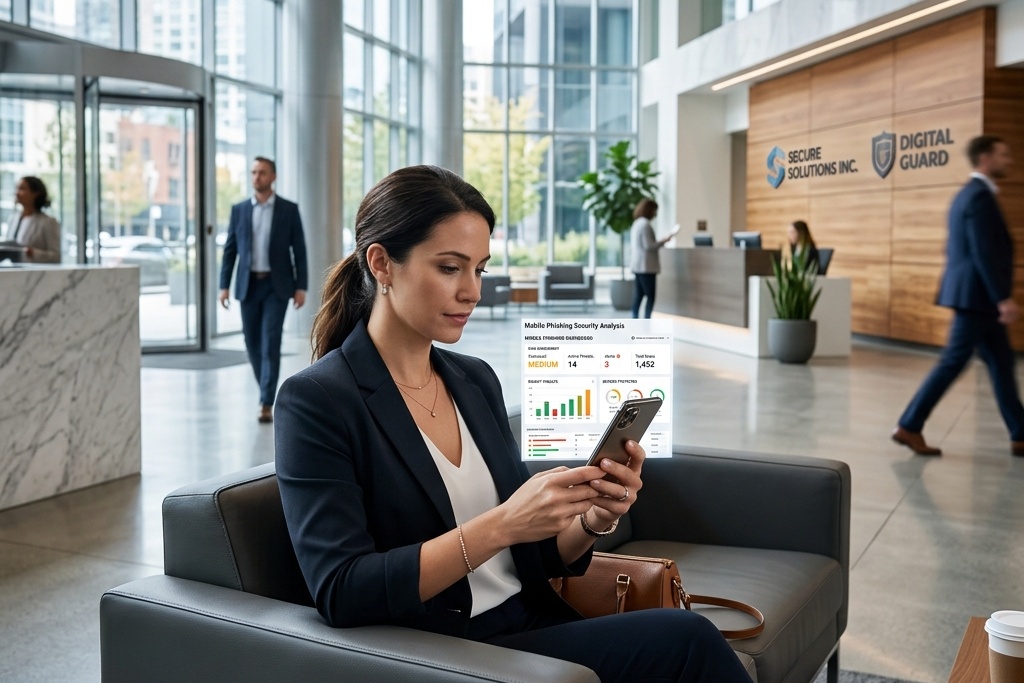
Security awareness programs invest enormous effort in teaching employees to recognize phishing emails. The training shows screenshots of suspicious emails, highlights red flags in sender addresses, demonstrates how to verify links, and explains what to look for in email headers. Almost all of this training assumes the employee is viewing the email on a desktop or laptop computer with a full-size screen.
That assumption is increasingly disconnected from how employees actually interact with email. Industry data shows that between 45 and 65 percent of corporate email is now opened first on mobile devices. For many employees—particularly those in field roles, customer-facing positions, or management—the smartphone is the primary email interface. And phishing click rates on mobile devices are dramatically higher than on desktop.
The mobile phishing vulnerability is not small. It is not a marginal increase in risk. Industry benchmarks across sectors show that mobile phishing click rates run 1.5x to 3x higher than desktop click rates for the same employees viewing the same simulated phishing emails. An organization with a 20 percent desktop click rate commonly shows a 35 to 45 percent mobile click rate. That gap represents a fundamental defensive failure that most security awareness programs have not addressed.
This guide provides detailed mobile versus desktop phishing click rate benchmarks across industries, explains the interface design and behavioral factors that drive mobile vulnerability, and offers a framework for building security awareness training that actually works on the devices where employees increasingly encounter phishing.
Why Mobile Devices Amplify Phishing Vulnerability
Before examining industry-specific benchmarks, it is essential to understand the specific factors that make mobile email interfaces more vulnerable to phishing than desktop interfaces. These are not primarily behavioral differences—they are interface design constraints that systematically obscure or eliminate the visual cues that security training teaches employees to evaluate.
Sender address truncation. Desktop email clients display full sender addresses or make them easily accessible with a single click. Mobile email apps, operating under severe screen real estate constraints, frequently display only the sender's display name—the very field that phishing attackers most easily manipulate. An email from "John Smith, CEO" could be from [email protected] or from [email protected], and the mobile interface provides no immediate indication of which. Employees trained to verify sender addresses cannot execute that verification behavior when the interface does not expose the information.
Link preview limitations. Desktop email interfaces typically show link URLs on hover or provide clear visual distinction between display text and actual URLs. Mobile interfaces lack hover functionality and often require multiple taps to reveal the actual URL behind linked text. A link displaying "Click here to verify your account" that actually points to malicious-site.com is immediately identifiable on desktop through hover-over but requires deliberate investigation on mobile—investigation that most users in typical email workflows do not perform.
Email header inaccessibility. Security training frequently teaches employees to examine email headers—sent-from addresses, routing information, authentication results—to verify email legitimacy. Desktop email clients make headers accessible through menu options. Many mobile email apps make headers difficult or impossible to access, and even when accessible, the small screen makes the dense technical information effectively unreadable. The verification behavior the training teaches becomes mechanically impractical on mobile.
Notification-driven interaction. Mobile email is frequently accessed through notifications that show only subject lines and fragments of message content. Employees who tap notifications to open emails are engaging with content before seeing sender information, before seeing full message context, and before having opportunity to apply the careful scrutiny that security awareness training recommends. The notification-driven workflow is fundamentally different from the deliberate, full-context email review that security training assumes.
Smaller screen cognitive load. Reading email on a 5-inch or 6-inch smartphone screen requires more cognitive effort than reading on a 13-inch or larger laptop screen — the same cognitive overload attackers exploit in the social engineering scenarios designed for distributed and remote teams. The limited screen real estate means less information is visible simultaneously, forcing users to scroll more frequently and maintain more information in working memory. Under cognitive load, humans apply less critical evaluation to what they are reading. The interface constraint creates psychological vulnerability independent of training.
These factors combine to create a mobile phishing vulnerability that is structural rather than behavioral. It is not that employees forget their security training when using mobile devices. It is that the mobile interface systematically prevents execution of the verification behaviors that training teaches.
Healthcare: Highest Mobile Vulnerability, Clinical Workflow Integration
Healthcare organizations show the widest gap between desktop and mobile phishing click rates across all industries, with mobile click rates typically running 1.8x to 2.2x higher than desktop rates. Organizations showing 28 percent desktop click rates commonly show 45 to 52 percent mobile click rates.
The extreme mobile vulnerability in healthcare reflects the integration of mobile devices into clinical workflows. Physicians, nurses, and allied health professionals increasingly use smartphones and tablets as primary tools for accessing patient information, coordinating care, and communicating with colleagues. The devices are essential to clinical work, creating constant email and messaging interaction throughout shifts.
Clinical staff typically check email on mobile devices during brief windows between patient encounters, while walking between rooms, or during compressed break periods. The time pressure and task-switching that characterize these interactions create exactly the conditions where mobile interface limitations have maximum impact. A physician who receives an email notification between patients, taps to read, and sees what appears to be an urgent security notification about their EHR access is unlikely to carefully scrutinize sender addresses or link URLs before responding.
Healthcare mobile phishing also exploits the prevalence of clinical application notifications. Healthcare workers receive frequent legitimate notifications requesting authentication, confirming orders, alerting to patient status changes, and requesting urgent responses. The volume of legitimate urgent mobile notifications creates a normalized pattern that attackers exploit—one more urgent notification requesting immediate action blends into the stream of legitimate urgent notifications.
The healthcare organizations that achieve narrower gaps between desktop and mobile click rates—showing 28 percent desktop and 35 to 38 percent mobile instead of 45+ percent mobile—typically do so through mobile-specific security awareness training that addresses the specific verification behaviors possible on mobile interfaces. Training that acknowledges "you cannot hover over links on mobile, so instead do this" proves more effective than training that assumes desktop interface capabilities.
Healthcare organizations also benefit from technical controls that reduce mobile phishing exposure: mobile device management that restricts installation of untrusted apps, email filtering that blocks phishing before it reaches mobile devices, and authentication systems that use biometric verification instead of password entry on mobile. The technical controls compensate for the interface limitations that training cannot overcome.
Financial Services: Significant Mobile Gap, BYOD Complexity
Financial services organizations show mobile click rates that average 1.6x to 1.9x their desktop click rates, typically showing desktop rates of 18 to 22 percent and mobile rates of 30 to 38 percent.
The financial services mobile phishing challenge is complicated by bring-your-own-device (BYOD) policies that allow employees to access corporate email on personal smartphones — the same vector that drives the MFA bypass and adversary-in-the-middle attacks we cover separately. BYOD creates a mixed device environment where some employees use corporate-managed devices with email security controls and others use personal devices with minimal security oversight. Mobile click rates on personal devices typically run 20 to 30 percentage points higher than on corporate-managed devices.
Financial services employees—particularly client-facing roles like wealth advisers, relationship managers, and sales staff—increasingly interact with email primarily through mobile devices because of travel schedules and client meeting demands. These employees may check desktop email once or twice daily but check mobile email dozens of times. The mobile interface becomes their primary email experience, and phishing training designed for desktop interfaces does not transfer to their actual working environment.
The platform spoofing that produces highest mobile click rates in financial services involves mobile banking and investment apps rather than email itself. Attackers send SMS messages (smishing) impersonating financial institutions and directing recipients to fake mobile banking login pages. The smaller screen and abbreviated URLs in mobile browsers make fake banking sites harder to distinguish from legitimate sites than on desktop, and employees accustomed to mobile banking are vulnerable to fake app downloads or mobile web phishing.
Financial services organizations that achieve the narrowest mobile-desktop click rate gaps—showing 18 percent desktop and 26 to 28 percent mobile—typically do so through combination of mobile-specific training and technical enforcement. Mobile device management, required VPN for corporate email access on personal devices, containerized email apps that provide additional security controls, and conditional access policies that restrict mobile access from unmanaged devices all reduce mobile phishing exposure beyond what training alone achieves.
The regulatory environment in financial services increasingly addresses mobile security. FINRA guidance on mobile communications, SEC cybersecurity rules addressing remote work technology, and FFIEC guidance on mobile banking all create compliance pressure to address mobile phishing vulnerability through both training and technical controls.
Technology: Smaller Mobile Gap, Technical Workforce Advantage
Technology sector organizations show the smallest mobile-desktop click rate gap across industries, typically showing mobile click rates that are 1.4x to 1.6x desktop rates. Organizations with 15 percent desktop click rates commonly show 22 to 26 percent mobile click rates.
The smaller gap in technology reflects several factors. Technology employees are more likely to recognize URL spoofing and domain manipulation even on mobile interfaces with limited visibility. They are more likely to use password managers that provide protection against phishing regardless of interface. They are more likely to have configured their mobile devices with security-conscious settings that reduce phishing exposure.
However, the technology sector mobile-desktop gap, while smaller than other industries, still represents substantial vulnerability. A 15 percent desktop click rate versus 24 percent mobile click rate means that nearly two-thirds more employees are vulnerable when accessing email on mobile devices. For technology organizations where the majority of email is now opened first on mobile, the mobile click rate is rapidly becoming more operationally relevant than the desktop click rate.
Technology sector mobile phishing also shows significant internal variation. Technical employees—engineers, product managers, security staff—show mobile click rates that are only 1.2x to 1.4x their desktop rates. Non-technical employees in technology organizations—sales, marketing, HR, finance—show mobile click rates that are 1.7x to 2.2x their desktop rates, comparable to non-technology industries.
This internal variation reveals that the technology sector's smaller mobile gap is driven primarily by technical employee behavior rather than by organizational security controls or training that works broadly. Technology organizations that design mobile-specific security training for non-technical staff can reduce non-technical mobile click rates by 8 to 12 percentage points, substantially narrowing the internal variation.
Education: High Mobile Vulnerability, Student and Faculty Patterns
Educational institutions show mobile click rates that average 1.7x to 2.1x desktop rates, typically showing desktop rates of 30 to 35 percent and mobile rates of 50 to 60 percent.
The educational sector mobile vulnerability reflects both interface limitations and behavioral patterns specific to academic environments. Faculty members who check email on mobile devices between classes, while commuting, or during research activities are unlikely to apply careful scrutiny to email sender details or link URLs. The mobile interaction happens in fragmented time windows that do not support deliberate security evaluation.
Student populations show even more extreme mobile email usage patterns. Many current college students rarely use desktop computers for email, treating smartphones as the primary or exclusive email interface. Student mobile phishing click rates in simulations frequently exceed 65 percent, reflecting both limited security training and the mobile-first email behavior that characterizes the demographic.
Educational institutions also face mobile phishing targeting that exploits academic-specific mobile behaviors. Fake course management system notifications, fake library account alerts, and fake student services messages are commonly delivered via mobile because attackers recognize that students and faculty primarily access these systems through mobile apps and mobile web interfaces.
The educational institutions that achieve mobile click rates below 45 percent—substantially better than the sector average—typically do so through mobile device management programs that are more common in K-12 education than in higher education. School districts that issue devices to teachers and students can implement email security controls, restrict app installation, and enforce security configurations that reduce mobile phishing exposure. Universities with bring-your-own-device cultures lack these technical control options and must rely primarily on training.
Education sector mobile security training faces the challenge that the highest-risk populations—students and adjunct faculty—are also the populations with least exposure to formal security awareness programs. Full-time staff receive annual training. Students and adjunct instructors often receive none, creating persistent populations of high-mobile-vulnerability users.
Government and Public Sector: Variable Mobile Policies, Mixed Vulnerability
Government organization mobile click rates show substantial variation by agency type and mobile device policy. Federal agencies with mobile device management programs typically show mobile click rates that are 1.5x to 1.7x desktop rates. State and local governments with unmanaged BYOD policies show mobile rates that are 1.9x to 2.4x desktop rates.
The variation reflects both security maturity and mobile policy enforcement. Federal agencies operating under FISMA and other cybersecurity mandates typically issue corporate-managed mobile devices to employees requiring mobile email access and implement mobile device management controls. These technical controls reduce mobile phishing vulnerability independent of training.
State and local government organizations often allow personal device email access without significant security controls, creating the same BYOD vulnerabilities that affect private sector organizations plus additional challenges specific to government. Government employees frequently use personal devices for work email to avoid carrying multiple devices, and government IT departments often lack budget and authority to manage personal devices.
Government mobile phishing also exploits the public availability of government employee email addresses. Attackers can send mobile phishing messages directly to government employees' work email addresses that are published on websites, in directories, and in public records. Breaches add to that surface: employees can check if a work email address is in a data breach free. The targeting is simplified compared to private sector organizations where employee contact information requires reconnaissance.
Government organizations that achieve narrow mobile-desktop click rate gaps typically do so through restrictive mobile email policies—requiring VPN access before email sync, prohibiting personal device email access, or issuing only corporate-managed devices for email access. These policies create operational friction that employees resist but that meaningfully reduce mobile phishing exposure.
The trend in government mobile security is toward stricter technical controls rather than reliance on training. OMB guidance, NIST mobile security standards, and CISA recommendations increasingly emphasize mobile device management, endpoint protection, and access controls over user training as the primary mobile phishing defense.
Retail and Hospitality: Extreme Mobile Dependence, Limited Control
Retail and hospitality organizations show mobile click rates that average 1.9x to 2.3x desktop rates, with some organizations showing mobile rates approaching three times desktop rates. Organizations with 26 percent desktop click rates commonly show 48 to 58 percent mobile click rates.
The extreme mobile vulnerability in retail and hospitality reflects near-total dependence on mobile devices for work email. Store managers, restaurant managers, hotel supervisors, and area managers rarely use desktop computers for email—the smartphone is the exclusive work email interface. Retail and hospitality employees who do have desktop access (corporate staff) show mobile click rates comparable to other industries, but frontline management shows the extreme elevation.
Retail and hospitality mobile phishing also exploits operational urgency patterns. Managers receive email notifications about inventory issues, staffing problems, customer complaints, and operational emergencies throughout their shifts. They are conditioned to respond immediately to email notifications because delay can affect customer service or operational efficiency. That urgency conditioning makes careful email scrutiny nearly impossible in practice.
The bring-your-own-device model that dominates retail and hospitality creates additional mobile vulnerability. Retail and hospitality organizations rarely issue corporate smartphones to store managers and supervisors—they expect employees to use personal devices for work communication. Personal devices lack enterprise security controls, mobile device management, and often lack even basic security configuration because employees configure their personal devices for convenience rather than security.
Retail and hospitality organizations that achieve mobile click rates below 40 percent—still elevated but better than sector average—typically do so through simplified mobile-specific training that acknowledges interface limitations rather than pretending they do not exist. Training that teaches "on mobile, you cannot verify links easily, so do not click links in unexpected emails even if they appear urgent" proves more effective than training that teaches desktop verification behaviors that are impossible on mobile.
Professional Services: Mobile-First Client Service, Elevated Vulnerability
Professional services firms show mobile click rates that average 1.6x to 1.9x desktop rates, typically showing desktop rates of 16 to 22 percent and mobile rates of 28 to 38 percent.
Professional services mobile vulnerability reflects client service culture. Attorneys, accountants, and consultants are expected to be responsive to client communications regardless of location or time. Mobile devices enable that responsiveness, making smartphones the primary interface for client email during business travel, client meetings, and outside business hours. The expectation of immediate responsiveness creates pressure to check and respond to email quickly on mobile without time for careful verification.
Professional services mobile phishing increasingly targets client impersonation. Attackers send mobile phishing emails impersonating clients requesting urgent document review, payment authorization, or confidential information disclosure. The mobile interface limitations make it harder to verify whether the email actually came from the client's legitimate address, and the expectation of client responsiveness creates pressure to act quickly.
The billable time culture in professional services creates additional mobile verification resistance. Time spent carefully verifying email sender authenticity on mobile devices is non-billable administrative time that competes with client service work. Partners and senior professionals operating under business development pressure and utilization targets are particularly vulnerable to mobile phishing because taking time to verify emails feels like sacrificing revenue-generating activity.
Professional services firms that achieve narrower mobile-desktop gaps—showing 16 percent desktop and 24 to 26 percent mobile instead of 32+ percent mobile—typically do so through culture change more than technical controls. Firms where leadership visibly models mobile email verification behavior, where verification time is explicitly approved as non-billable professional development, and where client service quality includes security verification show meaningfully better mobile security outcomes.
The Training Design Problem: Desktop Assumptions, Mobile Reality
The dramatic gap between desktop and mobile click rates across all industries reveals a fundamental training design failure. Security awareness training is almost universally designed for desktop interfaces even though mobile devices have become the primary email interface for large segments of most organizations.
Training screenshots show full desktop email windows with visible sender addresses, hoverable links, accessible menu options, and readable headers. Training exercises demonstrate verification behaviors—checking sender addresses, hovering over links, examining headers—that require desktop interface capabilities, and the spear-phishing simulation playbook for enterprise teams assumes those desktop capabilities by default. Training assessments test employee knowledge of verification procedures that assume desktop functionality.
Employees complete this training, demonstrate mastery on assessments, and then check their email primarily on mobile devices where the trained verification behaviors are impossible to execute. The training has taught them what to do, but the interface they actually use prevents them from doing it.
This design-reality mismatch is not a small oversight—it represents a fundamental failure to align training with how work is actually performed. The solution is not simply showing mobile screenshots in training. The solution is redesigning training to teach verification behaviors that are actually executable on mobile interfaces.
Mobile-specific verification training teaches different behaviors than desktop training: verifying that unexpected emails align with expected communication patterns rather than verifying sender addresses that mobile interfaces obscure; recognizing urgency and requests for immediate action as red flags that warrant additional verification rather than as reasons to comply quickly; using alternative communication channels (phone calls, in-person verification, secure messaging apps) to verify unexpected requests rather than trying to verify within the email interface; understanding that mobile email is inherently less secure than desktop email and should not be used for sensitive transactions when desktop access is available.
Organizations that implement mobile-specific security awareness training—training that explicitly acknowledges mobile interface limitations and teaches verification strategies that work on small screens—achieve mobile click rates that are 1.3x to 1.5x desktop rates instead of 2x to 2.5x. That improvement represents significant risk reduction without requiring changes to mobile device policies or restrictions on employee mobile usage.
Technical Controls That Address Mobile Vulnerability
Training alone cannot fully compensate for mobile interface security limitations. Organizations that achieve the best mobile phishing outcomes combine mobile-specific training with technical controls that address the structural vulnerabilities that training cannot overcome.
Mobile device management. MDM systems allow organizations to enforce security configurations on corporate-issued and BYOD mobile devices: requiring device encryption, restricting app installation, enforcing complex passcodes, enabling remote wipe capabilities, and implementing conditional access policies that prevent email sync unless security requirements are met. Organizations with comprehensive MDM programs show mobile click rates 12 to 18 percentage points lower than organizations without mobile management.
Containerized email apps. Container apps that separate work email from personal device data provide additional security controls beyond native email apps: preventing copy-paste of sensitive information, restricting email forwarding, requiring separate authentication, and implementing organization-specific security policies within the container while leaving personal device functionality unrestricted. Organizations using containerized email show mobile click rates 8 to 12 percentage points lower than those using native email apps.
Email filtering before mobile delivery. Email security gateways that filter phishing before messages reach mobile devices reduce mobile phishing exposure regardless of interface limitations. Organizations that implement advanced email filtering with machine learning-based phishing detection show mobile click rates 10 to 15 percentage points lower than organizations using basic spam filtering.
Conditional access policies. Policies that restrict mobile email access based on device compliance status, location, network security, or other contextual factors provide dynamic protection: allowing email access from secure contexts while blocking access from high-risk conditions. Organizations implementing conditional access show mobile click rates 8 to 14 percentage points lower than organizations with unrestricted mobile access.
VPN-required email access. Requiring VPN connection before allowing mobile email sync creates a verification step that marginally reduces convenience but meaningfully improves security. The VPN requirement also enables organization-wide DNS filtering and traffic inspection that can block phishing connections regardless of whether the employee clicks. Organizations requiring mobile VPN show mobile click rates 6 to 10 percentage points lower than organizations allowing direct mobile email sync.
The most effective mobile phishing defense combines multiple technical controls in layers rather than relying on any single control. Organizations that implement MDM plus containerized email plus advanced filtering plus conditional access achieve mobile click rates that approach desktop rates, effectively eliminating the mobile vulnerability gap through technical controls.
Using Mobile Click Rate Benchmarks to Drive Improvement
Understanding your organization's mobile versus desktop click rate gap and comparing it to industry benchmarks informs several specific program changes.
If your mobile click rate is more than 2x your desktop rate, the immediate opportunity is implementing any mobile-specific security training. Organizations currently providing only desktop-focused training can achieve 15 to 25 percentage point reduction in mobile click rates simply by acknowledging mobile interface limitations and teaching verification behaviors that work on mobile.
If your mobile click rate is 1.5x to 2x your desktop rate, you have likely implemented some mobile-specific training or controls. The next opportunity is layering technical controls—MDM, containerized email, advanced filtering—to address the structural vulnerabilities that training cannot fully overcome.
If your mobile click rate is less than 1.5x your desktop rate, you are achieving better-than-average mobile security. The remaining gap likely reflects the inherent interface limitations that even excellent training and comprehensive technical controls cannot fully eliminate. The focus should shift to measuring whether the remaining mobile vulnerability is concentrated in specific roles or departments where targeted intervention can produce additional improvement.
If your mobile click rate varies significantly by role—with some roles showing 3x desktop rates and others showing 1.3x rates—the variation likely reflects both different mobile usage patterns and different exposure to mobile-specific training and controls. Role-based analysis often reveals that field personnel, managers, and executives show the highest mobile vulnerability because they use mobile most heavily and because mobile security controls are often designed for information workers rather than mobile-primary users.
PhishSkill measures click rates separately for desktop and mobile interactions in every simulation, revealing whether your training addresses the interface where employees actually encounter phishing or only the interface where training designers imagine they encounter it. Because the gap between desktop security awareness and mobile security reality determines whether your program works in practice or only in theory.
Related Reading
Mobile vulnerability is not just about phishing—it is about the changing nature of work. For the broader context of how remote and distributed work changes security risk, see Social Engineering Training for Remote Teams. For the credential harvesting that follows mobile phishing clicks, read Credential Harvesting Success Rate Benchmarks. To understand how mobile phishing fits into comprehensive security measurement, see How to Calculate a Phishing Resilience Score.
More from the Blog
View all blog articles
Vishing and Smishing Simulation Training: Why Email Isn't the Only Attack Vector You Need to Test
Most phishing awareness programs focus almost exclusively on email. Meanwhile, voice and SMS-based social engineering attacks are growing rapidly—and employees are almost entirely untrained against them.
MFA Is Not Enough: How Phishing Attacks Bypass Multi-Factor Authentication and What Training Can Do
MFA is foundational but attackers have evolved to bypass it. Learn how adversary-in-the-middle phishing, MFA fatigue, and vishing for OTP codes defeat MFA — and why training is your only defense.

Phishing Click Rate Benchmarks by Industry: How Does Your Organization Compare?
Knowing your phishing click rate is only half the picture. Understanding how it compares to organizations like yours—and what drives the variation—is where the real strategic insight lives.
Ready to stop phishing attacks?
Run realistic phishing simulations and high-impact security awareness training with PhishSkill's automated platform.